
Blurred ocean waves reflecting a vibrant purple and pink sunset.

Cloud call center. Zero hardware.

Browser-based calling with IVR, callback, and call recording. Your team takes calls from anywhere; no desk phones, no plugins, no IT tickets.

Trusted by 850+ brands across 42 countries

Miinto
mejuri
rapha
dott
Mytheresa
monica-vinader
gls
allsaints
monese
outnorth
mindful-chef
charles-tyrwhitt
clubl
freddie's flowers
PastaEvangelists
loaf
oliver bonas
mammut
qpark
fabfitfun
adanola
organicbasics
mammaly

Everything you need to run phone support

Image Description

Browser-based Calling

Your team takes calls from any browser, anywhere
Image Description

IVR

Route callers to the right team before they reach an agent
Image Description

Callback

Let customers request a call instead of waiting on hold
Image Description

Call Recording

Every call recorded and attached to the conversation
Image Description

Voicemail

Missed calls turn into voicemails your team can follow up on
Image Description

Number Porting

Bring your existing numbers or add new ones
Image Description

Calls happen in the browser. No hardware required

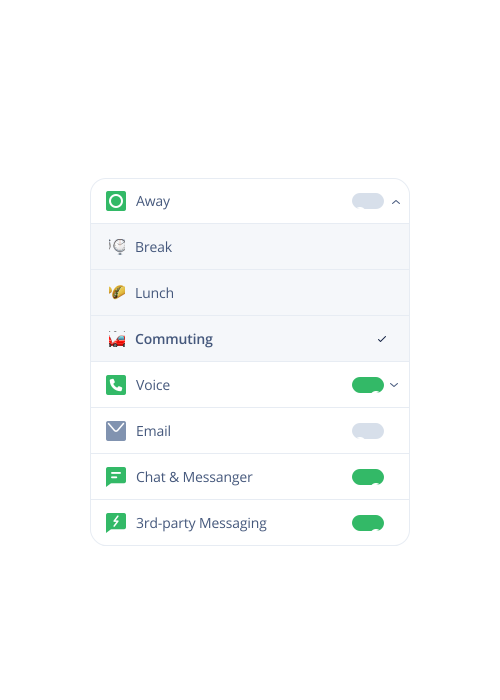
Your team takes and makes calls from the same workspace they use for chat, email, and messaging. No desk phones, no plugins, no separate systems. Just open the browser and go.

  • Works on any computer with a browser
  • No installation, no hardware, no IT setup
  • Agents work from office, home, or anywhere
Image Description

Customers reach the right team without repeating themselves

IVR routes callers based on what they need. By the time an agent picks up, they see the full customer history (orders, past conversations, account details) ready to go.

  • IVR menus route to the right queue
  • Customer context loads before the call connects
  • Full conversation history across all channels

Image Description

Callback instead of hold. Voicemail instead of missed calls

Customers don't want to wait on hold. Callback lets them request a call when an agent is free. And if they do miss you, voicemail captures the message so your team can follow up.

  • Callback reduces hold time frustration
  • Voicemails appear in the same queue as other conversations
  • Follow up without losing context
Dixa’s automation and incredible AI agent assistant have greatly enhanced our efficiency and productivity."
Erica Piccolomini
Chief Customer Officer at Stayforlong
Read the case study
Since partnering with Dixa, we've nearly doubled the workload achieved each day–resulting in extremely positive customer satisfaction and very happy teams."

Natasha Sims
Operations Director at Oliver Bonas
Read the case study
To enhance our CX, we knew that the business needed a unified platform to reduce silos across channels and teams. Dixa's one-screen wonder has been a game changer that keeps our workflows seamless."

Rhys Howells
Head of Customer Service at Rapha
Read the case study
-33%
contact per booking
-50%
email backlog
90%
CSAT
2x
productivity/hour
+14%
improvement in CSAT scores
+17%
increase in customer retention

Frequently Asked Questions

Can I handle phone support in the same platform as email and chat?

Yes. Dixa includes native cloud phone (VoIP) built into the platform — not a plugin or integration. Phone calls appear in the same queue as emails, chats, and social messages. Agents handle everything from one screen with full customer context, regardless of channel.

Do I need a separate call center system?

No. Dixa replaces standalone call center software. You get inbound and outbound calling, IVR menus, call recording, voicemail, callback queues, and real-time analytics — all native to the platform. No third-party telephony integration required.

What is cloud phone for customer service?

Cloud phone (VoIP) means your phone system runs over the internet, not traditional phone lines. Agents can take calls from anywhere with a browser — no desk phones, no hardware, no office required. Dixa's cloud phone works on desktop, laptop, or mobile.

Can agents work remotely with Dixa phone?

Yes. Dixa is browser-based, so agents take calls from anywhere with an internet connection. No VPN, no special hardware, no desk phone. This makes remote and hybrid support teams easy to manage.

How does call routing work in Dixa?

Calls are routed using the same intelligent routing as other channels — by skill, language, customer value, issue type, or custom rules. VIP customers can skip the queue, technical issues go to specialists, and calls are matched to available agents with the right expertise.

Can I set up an IVR menu?

Yes. Dixa includes visual IVR builder — create phone menus with drag-and-drop, no coding required. Route callers based on their selections, play custom messages, offer callback options, and connect to specific teams or agents.

What happens when no agents are available?

You control it. Options include: voicemail, callback queue (customer keeps their place in line without waiting on hold), overflow to another team, or after-hours messaging. Dixa's callback feature means customers don't wait on hold — they get called back when an agent is free.

Can I see customer history when they call?

Yes. When a call comes in, Dixa recognizes the customer (by phone number or account lookup) and displays their full history — past conversations, orders, notes — before the agent even picks up. No more "can you give me your order number?"

How do I measure phone performance?

Dixa tracks call-specific metrics: answer rate, wait time, talk time, after-call work, missed calls, and callback completion. These flow into the same dashboards as other channel metrics, giving you a unified view of team performance.

Can I make outbound calls?

Yes. Agents can make outbound calls directly from Dixa — click-to-call from customer records, follow up on open issues, or proactive outreach. Outbound calls are logged in the same conversation timeline as inbound interactions.

See what Dixa can do for you

Book a call with our team and discover how brands like yours handle more with less.

DixaDixa